
1

AttachmentFlow
Save email attachments without the manual work.
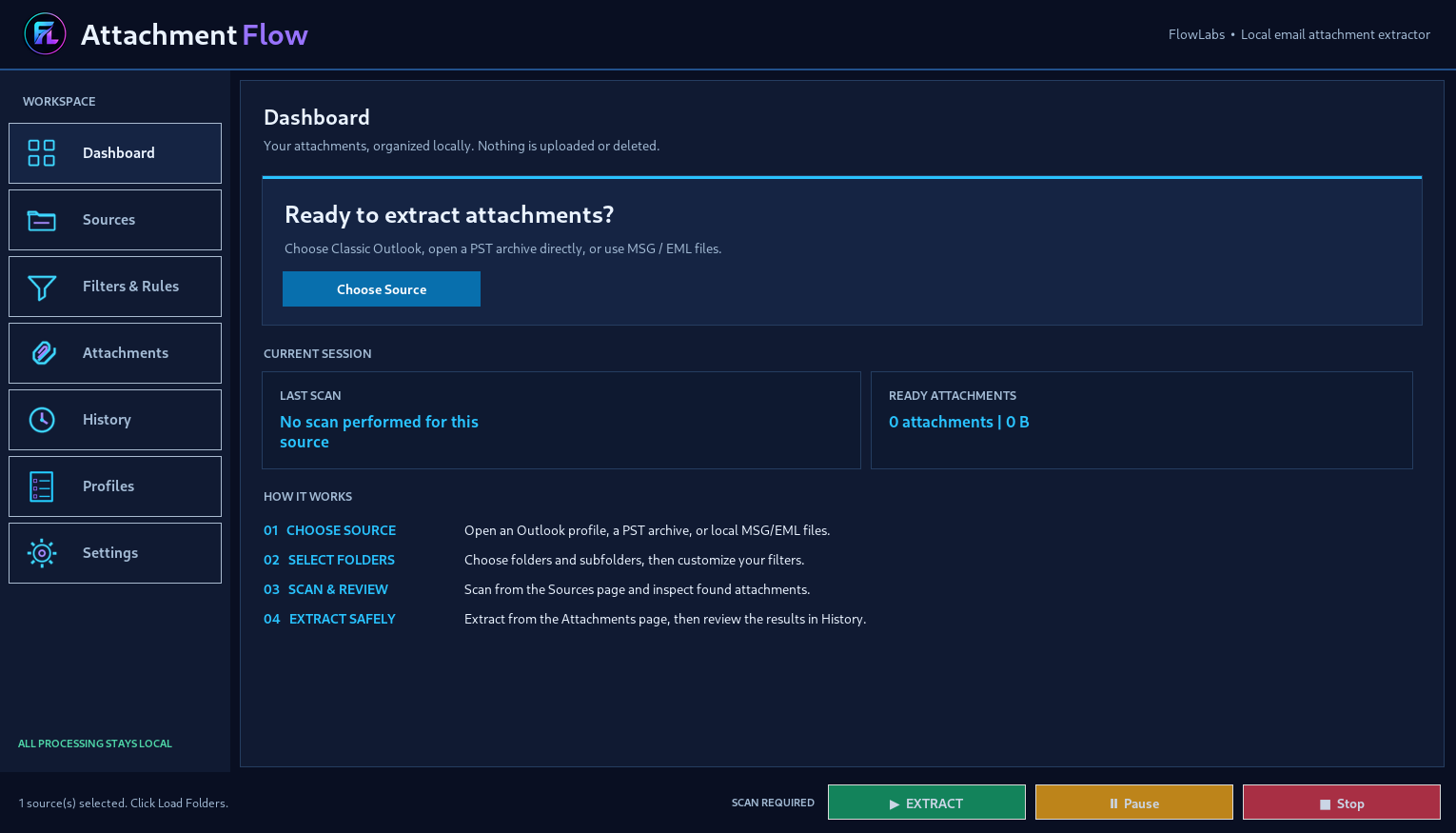
AttachmentFlow helps you locate and export email attachments from local PST archives, configured Classic Outlook stores, and saved MSG/EML messages. Select folders or batch sources, scan results, use live search and filters, then export the files to an organized destination without uploading private mail to a server.
$20
Key features
Everything you need in one portable Windows app.
✓ Multiple email sourcesRead local PST archives, configured Classic Outlook stores and individual or grouped MSG/EML files.
✓ Batch source processingScan several archives or source folders in one workflow and keep attachments linked to their original source.
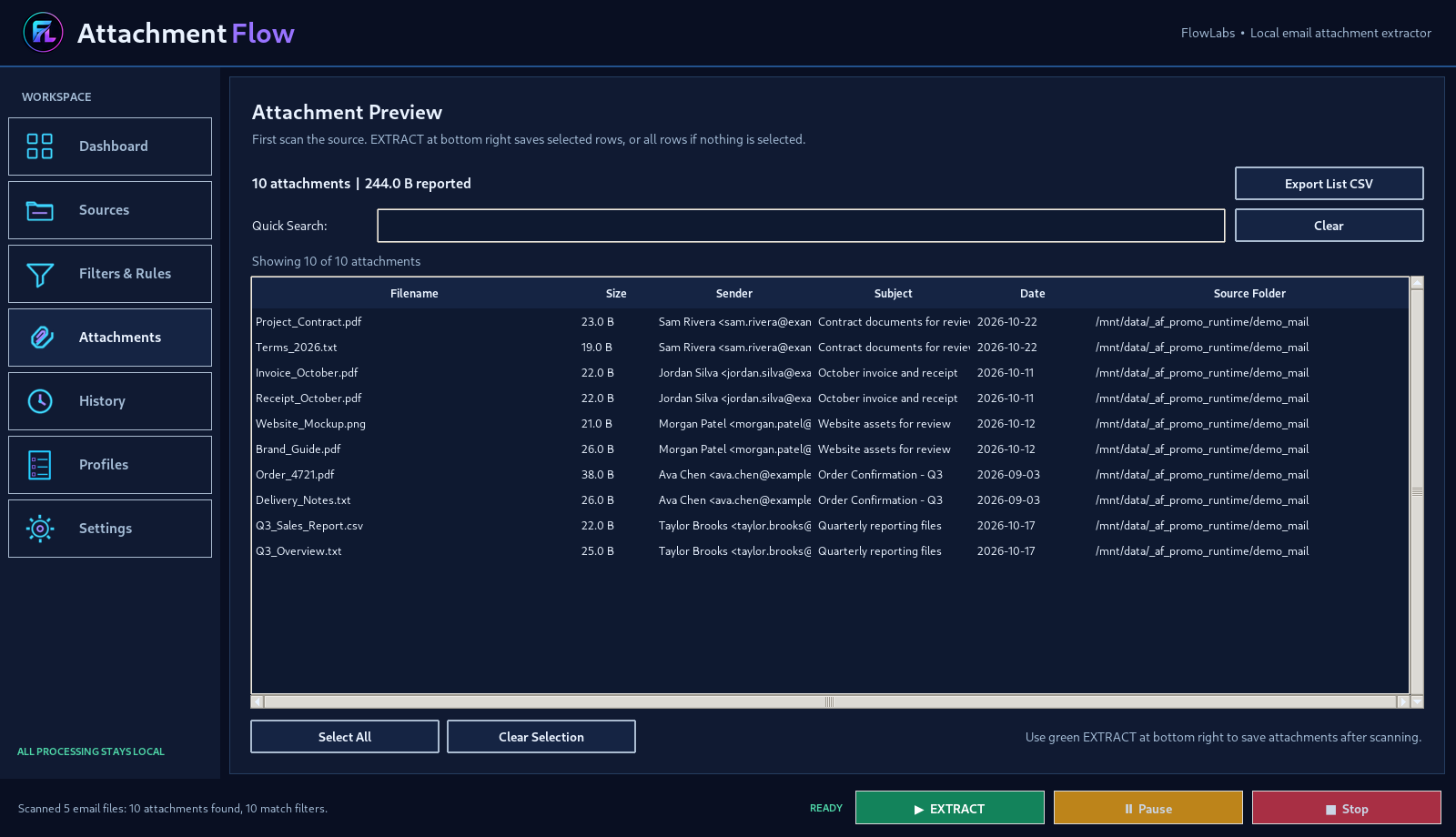
✓ Live Quick SearchNarrow down discovered attachments as you type by filename, sender, subject and other available details.
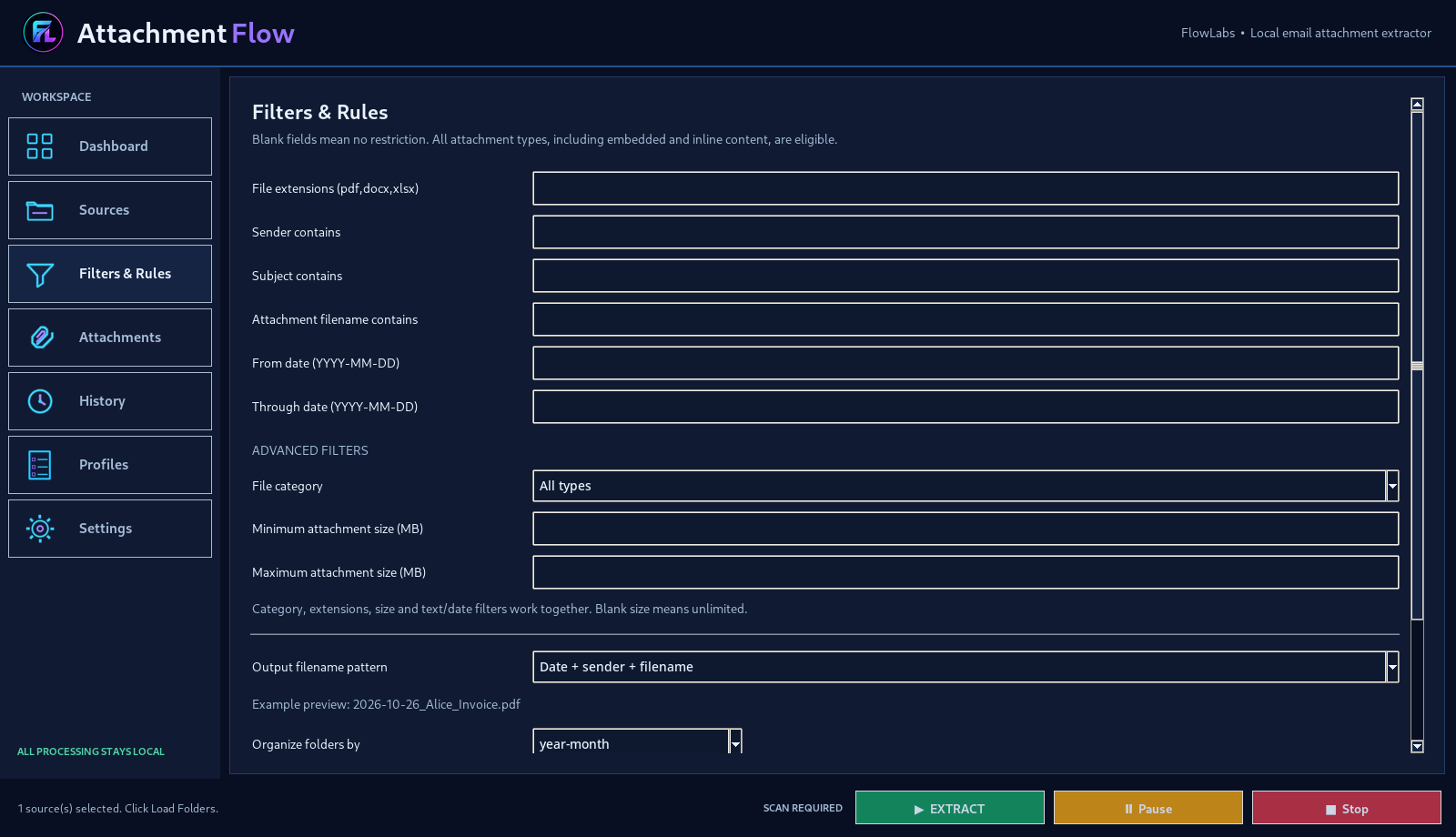
✓ Advanced filtersCombine file types, extension, sender, subject, date and size to find the attachments that matter.
✓ Organized extractionChoose naming patterns and output folders, including grouping by date, file type or extension.
✓ History and profilesSave repeatable workflows, detect identical files and review export history with CSV reporting.
How it works
Get started in three steps.
2
Choose folders and optional filters, then scan for attachments.
3
Review or search the results and click EXTRACT to save the selected files.
Product preview
See AttachmentFlow in action.
Windows 10 / 1164-bit
PortableNo installation
Local-firstNo email upload
One-time purchaseNo FlowLabs subscription
Direct PST access does not require Outlook. Classic Outlook mode requires a configured desktop Outlook profile. Local email files stay on your computer; no subscription or FlowLabs account is required.
Ready to use AttachmentFlow?
Choose your preferred marketplace.
Purchase, delivery and refunds are handled by Etsy, Gumroad, Patreon or PayHip.